HELP CENTER
Moomoo Help Center
Find clear answers to common Moomoo questions about account opening, deposits, withdrawals, stock transfers, trading sessions, order status, fees, security, mobile and desktop features, and Moomoo AI. Product availability and procedures may differ by country or region.
Getting Started with Moomoo
Start with the platform basics, regional availability, market tools, and the difference between exploring Moomoo and opening a brokerage account.
What is Moomoo and what can I use it for?
Moomoo is an investing and trading platform that combines market data, charts, screeners, news, education, community content, and account-related tools. The exact brokerage products and services available inside the app depend on your country or region and the local licensed entity serving you.
Is Moomoo available in my country or region?
Moomoo is available in multiple markets, but account opening, tradable products, pricing, market data, promotions, and support channels vary by location. Check the country or region shown during sign-up and review the local product pages before submitting an application.
Can I use Moomoo without opening a brokerage account?
Yes. Many market-data, watchlist, news, education, paper-trading, and community features may be explored before opening a brokerage account. Live trading, deposits, withdrawals, and some premium data or account tools require an approved account and may be subject to regional eligibility.
Which Moomoo features are most useful for beginners?
Beginners can start with watchlists, stock pages, charts, screeners, news, educational content, and paper trading. These tools help you learn the interface and research workflow before deciding whether to open an account or place a live order.
Who provides brokerage services through the Moomoo app?
Moomoo is the platform brand, while brokerage and financial services are provided by locally licensed entities in supported regions. The legal entity, disclosures, fee schedule, account agreement, and investor protections that apply to you are shown during the regional account-opening process.
Downloads & Login
Choose the correct Moomoo version, compare mobile and desktop use, and resolve common installation, verification, and sign-in problems.
How do I download the Moomoo app or desktop platform?
Open the Moomoo Download Center and choose the version for iOS, Android, Windows, macOS, Linux, or an available API package. Use the listed app-store or software link for your device, then install the latest supported version and sign in or register.
What is the difference between Moomoo mobile and Moomoo Desktop?
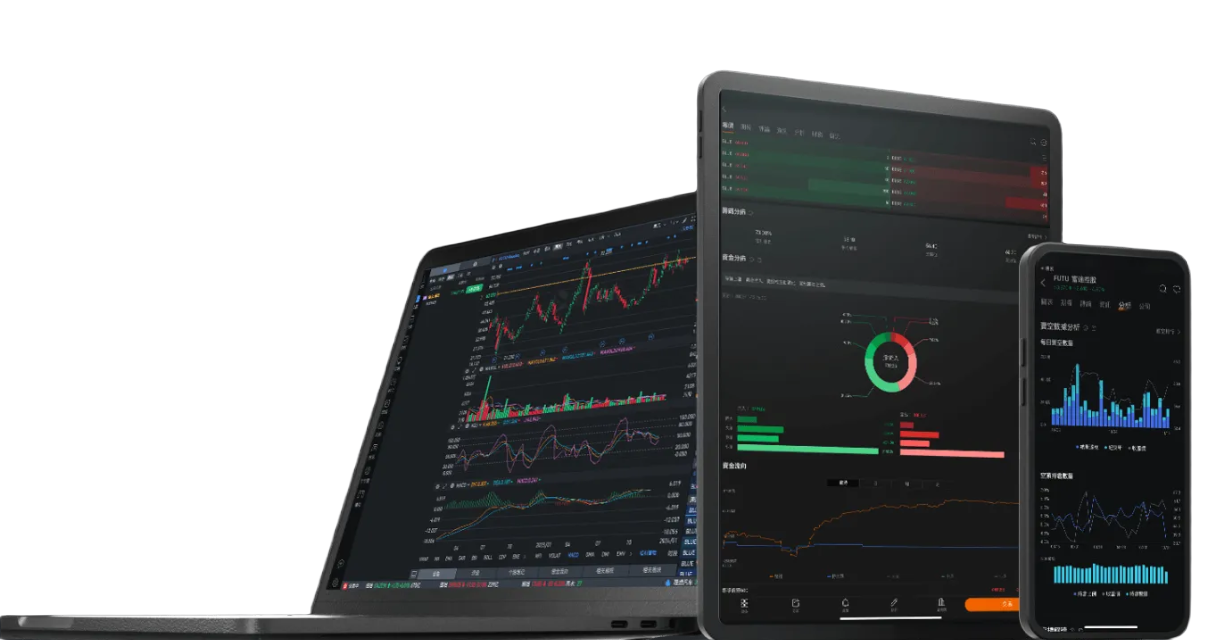
The mobile app is designed for quick quote checks, alerts, news, watchlists, and everyday account actions. Moomoo Desktop is better suited to larger charts, customizable workspaces, multi-window research, and longer market-monitoring sessions.
Why am I not receiving a login or verification code?
First confirm that the phone number or email address is correct, the network is stable, and spam or message-blocking settings are not filtering the code. Avoid requesting codes repeatedly in a short period; if the issue continues, use the regional support channel shown in the app.
Why can’t I install or update Moomoo on my device?
Installation problems are commonly caused by an unsupported operating-system version, insufficient storage, regional app-store settings, security restrictions, or an outdated installer. Check the current system requirements and download the correct package for your device.
Is it normal for features or menus to move after an update?
Yes. App and desktop updates may change navigation, feature names, or menu placement as tools are improved. If you cannot find a familiar feature, use in-app search, review the latest manual, or check the regional Help Center for updated instructions.
Account Opening
Answers to current questions about eligibility, documents, account types, application review, and regional account-opening requirements.
How do I open a Moomoo account?
Select Open Account in the Moomoo app, confirm your country or region, choose an available account type, and follow the identity-verification steps. You may need to provide personal, tax, employment, financial, and regulatory information before the application can be reviewed.
What documents do I need to open a Moomoo account?
Required documents vary by region, but usually include a valid government-issued identity document and information confirming your residential address and tax status. The app will display the exact document type, image quality, and validity requirements for your application.
What account types can I open with Moomoo?
Available account types depend on the local Moomoo brokerage entity and your eligibility. Some regions may offer cash or margin accounts, while retirement, joint, corporate, or other account types may not be available. Review the regional account comparison before choosing.
How long does Moomoo account approval take?
Approval time depends on document quality, identity checks, application volume, and whether additional information is required. A complete application may be reviewed faster, but there is no universal approval time across all regions or account types.
Why was my account application delayed or rejected?
Applications may be delayed or declined because information is incomplete, documents are unclear or expired, details do not match, eligibility requirements are not met, or additional compliance checks are required. Follow the reason shown in the app and submit only the requested correction or document.
Deposits, Withdrawals & Stock Transfers
Find out how funding methods, processing times, withdrawable cash, bank-name matching, and portfolio transfers generally work.
What deposit methods does Moomoo support?
Deposit methods depend on your region and may include bank transfer, ACH, wire transfer, instant deposit, or other local payment rails. Open the account funding page to see the supported bank details, limits, currencies, fees, and processing instructions for your account.
How long does a Moomoo deposit take to arrive?
Deposit time varies by method, bank, currency, cut-off time, holidays, and whether additional verification is needed. Check the deposit record and estimated processing window in the app before sending a duplicate transfer or contacting support.
Why is my cash balance not fully available to withdraw?
Withdrawable cash can be lower than the displayed cash balance because of unsettled trades, pending deposits, open orders, currency conversion, margin requirements, withdrawal holds, or other account restrictions. Review the cash details and settlement status before submitting a withdrawal.
How do I transfer stocks from another broker to Moomoo?
Use the stock-transfer or account-transfer function available for your region, enter the delivering broker and account details, and submit the requested statement or transfer information. Supported assets, transfer methods, fees, and processing times differ by market and broker.
Does the bank account name need to match my Moomoo account name?
In most cases, deposits and withdrawals should use a bank account held in the same verified name as the brokerage account. Third-party transfers may be rejected or require additional checks, so follow the account-specific funding instructions before sending money.
Trading Sessions & Orders
Understand market hours, extended and 24-hour sessions, unfilled orders, order changes, and partial executions.
How do I check trading hours for a market in Moomoo?
Open the market or security page and review the displayed market clock, trading session, and holiday notice. Regular, pre-market, after-hours, overnight, and 24-hour availability differ by market, security, order type, account, and regional brokerage service.
What does 24-hour trading mean on Moomoo?
Where offered, 24-hour trading lets eligible securities trade across regular, pre-market, post-market, and overnight sessions on supported trading days. Eligible symbols, order types, short-selling rules, liquidity, and exact hours depend on the regional service and should be checked on the order ticket.
Why is my Moomoo order still not filled?
An order may remain unfilled because its price does not match available buyers or sellers, the market is closed, liquidity is limited, the selected session is wrong, or the order type has restrictions. Review the order price, session, time-in-force, and current bid-ask quotes.
Can I modify or cancel an order after submitting it?
You can usually modify or cancel an order while it remains open and the market or trading venue accepts the request. A cancellation is not guaranteed until its status is confirmed, and a partially or fully executed order cannot be reversed for the quantity already filled.
What does partially filled mean?
Partially filled means only part of the requested quantity has executed at available market prices. The remaining quantity may stay open, expire, or be cancelled according to the order’s time-in-force and session settings.
Fees, Settlement & Tax Documents
Review the most common questions about trading charges, settled cash, regional fee differences, tax forms, and cash-sweep programs.
What fees may apply when I trade through Moomoo?
Charges may include commission, platform or contract fees, exchange and regulatory fees, clearing charges, financing interest, market-data fees, taxes, or currency-conversion costs. The applicable items depend on your region, market, product, order size, and current fee schedule.
Why are Moomoo fees different by country or market?
Moomoo services are provided by different licensed entities, while exchanges, regulators, clearing systems, taxes, and local promotions also differ. Always use the fee schedule linked to your regional account instead of assuming that pricing from another country applies to you.
When do sale proceeds become settled or withdrawable?
Settlement follows the rules of the market and product traded. A completed sale may appear in your cash balance before the proceeds become fully settled or withdrawable, and open orders, margin requirements, or withdrawal holds may further reduce the available amount.
Where can I find Moomoo tax documents?
If tax documents are issued for your account, they are generally available in the statements or tax-document area after the relevant reporting period. Document types, release dates, corrections, and tax treatment depend on your jurisdiction and account activity.
What is a cash sweep program?
A cash sweep program, where available, automatically moves eligible uninvested cash into participating deposit accounts or another designated cash-management arrangement. Eligibility, interest, insurance coverage, participating banks, and withdrawal mechanics are governed by the regional program terms.
Account, Login & Security
Protect your credentials, respond to unusual activity, recognize suspicious links, and keep verified contact information current.
What should I do if I forget my Moomoo password?
Use the password-recovery option on the sign-in page and complete the required identity or contact verification. Never share a password, trading password, one-time code, or recovery link with anyone claiming to provide support.
What should I do after an unusual login or security alert?
If you do not recognize the activity, change your login and trading passwords immediately, review signed-in devices, secure your email and phone account, and contact the regional Moomoo support channel. Do not continue trading or transferring funds until the account is secured.
How can I make my Moomoo account more secure?
Use a unique password, enable available multi-factor or biometric verification, keep the app and operating system updated, review device access, and avoid public or shared devices. Treat one-time codes and account recovery details as confidential.
How can I identify a fake Moomoo website, app, or support message?
Use download links and support channels listed on the relevant Moomoo regional site or inside the app. Be cautious of misspelled domains, unofficial installers, guaranteed-return claims, remote-access requests, crypto transfer instructions, or messages asking for passwords and verification codes.
What should I do after changing my phone number or email?
Update the verified contact information through account settings or the prescribed support process as soon as possible. You may be asked to complete additional identity checks before the old contact method is replaced.
App, Desktop & Data Sync
Learn how watchlists, alerts, quotes, account data, and developer tools behave across mobile, desktop, and supported API environments.
Can I use one Moomoo account on mobile and desktop?
Yes, you can generally sign in to the same Moomoo account on supported mobile and desktop clients. Security controls may limit simultaneous sessions or require additional verification when a new device or location is detected.
Will my watchlists and account data sync across devices?
Watchlists and account information generally sync when the same account is used, but local layouts, cached data, chart settings, and some device-specific preferences may not appear identically. Refresh both clients and verify the login account if data looks different.
Why does a quote or account value differ between devices?
Differences can result from refresh timing, market-data entitlements, selected trading sessions, exchange currency, delayed quotes, cached data, or different account and display settings. Compare the timestamp, market session, and quote level before treating it as an error.
Why am I not receiving Moomoo price alerts or notifications?
Check that alerts are enabled inside Moomoo and that the device operating system permits notifications, background activity, sound, and network access. Power-saving modes, focus settings, app permissions, and delayed market data can affect delivery.
Does Moomoo provide API or algorithmic-trading tools?
Moomoo provides API and algorithmic-trading resources in supported environments, but access, documentation, permissions, market coverage, and live-trading eligibility vary. Review the current Moomoo API or OpenD documentation and test carefully before using automated orders.
Moomoo AI & Support
Use Moomoo AI responsibly, understand where it is available, and provide the right information when requesting technical or account assistance.
What is Moomoo AI?
Moomoo AI is a set of AI-assisted features designed to organize market information, summarize news or filings, explain financial concepts, and support research workflows. Feature names, data sources, languages, and availability may vary by app version and region.
How do I access Moomoo AI?
Access paths differ by version and region. Look for Moomoo AI in app search, the main menu, a stock-detail page, chart or research area, or update to the latest supported app and desktop version if the feature is not visible.
Can I rely on Moomoo AI to make investment decisions?
No. Moomoo AI output is informational and may be incomplete, delayed, or inaccurate. Verify important figures and source documents, consider your own objectives and risk tolerance, and do not treat an AI summary, forecast, or explanation as personalized investment advice.
What information should I provide when contacting Moomoo support?
Describe the issue, affected feature, date and time, account region, device model, operating system, app version, network conditions, order or transaction reference, and any exact error message. Share screenshots only after hiding account numbers, identity documents, passwords, and verification codes.
Download Moomoo and explore the platform on your preferred device
Go to Download Center